Customers Research

⏳➡️⚡ Why Customers Research for 10 Days and Buy in 10 Minutes

There’s a strange pattern almost every business eventually notices: someone visits your site, reads a few reviews, leaves. They come back a week later, compare you against two competitors, leave again. Days pass. Then, seemingly out of nowhere, they return one evening and complete the purchase in under ten minutes — no new information, no dramatic price change, nothing obviously different from the ten previous visits.

It looks irrational on the surface. It isn’t. This pattern is one of the most consistent and well-understood behaviors in consumer psychology, and once you understand why it happens, it stops looking like a mystery and starts looking like an opportunity. 🔍

The Slow Research Phase Isn’t About Facts — It’s About Risk

When someone spends ten days comparing options, it rarely means they lack information. Usually, the opposite is true: they have plenty of information and are still trying to resolve an emotional, not logical, problem — the fear of making the wrong choice.

Every purchase carries some form of perceived risk:

  • Financial risk – “Am I overpaying, or is there a better deal elsewhere?”
  • Performance risk – “Will this actually work the way it’s described?”
  • Social risk – “Will people judge this choice, or will I regret mentioning it?”
  • Time risk – “If this goes wrong, how much of my time will I lose fixing it?”

Research is the brain’s way of slowly talking itself out of these fears rather than gathering more facts. Someone re-reading the same reviews for the third time isn’t looking for new data — they’re looking for reassurance. The facts were already enough by day two; what was missing was confidence. 🧠

Why the Purchase Itself Happens So Fast

Once that internal risk calculation finally resolves — once the person feels safe enough to commit — there’s no reason to slow down anymore. The deliberation phase and the action phase run on two completely different mental gears.

This is the classic split between System 1 (fast, emotional, intuitive) and System 2 (slow, analytical, careful) thinking. The ten days of research is System 2 doing its quiet, careful work in the background. The ten-minute purchase is System 1 finally getting the green light to act — and once it does, it moves quickly, because the emotional barrier, not the logical one, was the real obstacle all along.

In other words: people don’t buy when they have enough information. They buy when they have enough confidence. ✅

The Hidden Triggers That Flip the Switch

If confidence — not new facts — is what finally moves someone to act, the real question becomes: what tips the scale? Usually, it’s a small, almost unremarkable moment:

  • A single reassuring review that happens to describe their exact situation or hesitation.
  • Running into the product again somewhere else — a friend mentions it, or an ad resurfaces it — reinforcing that it’s a legitimate, popular choice.
  • A deadline appearing, even a mild one, that removes the option to keep stalling.
  • Simple decision fatigue — after enough comparison, the brain starts craving resolution more than perfection.
  • A moment of low friction, like being on a device where checkout is already saved and easy, removing the last physical barrier to acting.

None of these triggers are dramatic. That’s exactly the point — the final decision rarely comes from a bigger, better argument. It comes from a small nudge landing at the right emotional moment. 🎯

What This Means for Businesses

Understanding this rhythm changes how you should think about the entire customer journey — especially the parts that happen before someone ever reaches the checkout page.

1. Stop Measuring Success Only at the Final Visit

If someone converts on visit eleven, visits one through ten weren’t wasted — they were the actual sales process. Judging a campaign purely by last-click conversions misses where the real persuasion work happened.

2. Design for Reassurance, Not Just Information

By the third or fourth visit, a returning prospect usually isn’t missing facts — they’re missing confidence. Reviews that address specific doubts, clear guarantees, and visible proof that others made the same choice successfully do more heavy lifting here than additional specs or features ever will. 🛡️

3. Stay Visible During the Quiet Middle

The days between first visit and final purchase are where many businesses go silent — and where competitors often win by simply showing up again. Retargeting, thoughtful follow-up emails, or simply staying top-of-mind keeps you in the running when the decision finally flips.

4. Remove Friction Before the Moment Arrives

Since the actual purchase happens fast once someone decides, any friction still sitting in that path — a clunky checkout, a forced account creation, a hidden shipping fee — can undo ten days of careful groundwork in the final sixty seconds. Make sure the “yes” moment isn’t slowed down by something fixable in advance. ⚡

5. Give the Decision a Reason to Happen Today

A gentle, honest deadline — a real limited stock number, a genuine seasonal offer — can be the nudge that turns “still thinking about it” into “buying it now,” especially for someone who’s already emotionally most of the way there.

The Real Lesson Behind the Pattern

The ten-day research window and the ten-minute purchase aren’t opposites — they’re two halves of the same process. The slow phase resolves doubt. The fast phase simply executes a decision that was, emotionally, already made. Businesses that only optimize the final ten minutes are polishing the last step of a much longer staircase; the ones that also pay attention to the quiet, doubtful middle are the ones customers actually remember choosing. 🌟

Selling well isn’t about rushing people to decide faster. It’s about understanding exactly what they need to feel — not just know — before they’re ready to act.

❓FAQ

Q1: Does this mean long research phases are a bad sign?
Not at all. A longer research phase often signals a bigger, more considered purchase rather than disinterest. The goal isn’t to shorten it artificially — it’s to make sure the time is well spent building genuine confidence.

Q2: How can I tell if someone is in the “resolving doubt” phase versus still gathering facts?
Look at behavior, not just visit count. Repeat visits to the same pages (reviews, pricing, FAQs) without new questions in support chats or search queries usually signal emotional resolution is what’s missing, not information.

Q3: Is retargeting the best way to stay visible during the research phase?
It’s one effective option, but not the only one. Email follow-ups, helpful content, and organic reappearance (social proof, word of mouth) all serve the same purpose — staying present without being pushy.

Q4: Won’t adding urgency at the end feel manipulative?
Only if it’s dishonest. Real deadlines and genuine limited availability respect the customer’s intelligence; fake countdowns or invented scarcity tend to be spotted and can damage the trust built over the entire research phase.

Q5: Should I focus more on the first visit or the later ones?
Both matter, but for different reasons. The first visit needs to earn attention and establish relevance. The later visits need to steadily resolve doubt. Neglecting either stage leaves a gap the customer may fill by choosing a competitor instead.
Why Visitors Ignore Your Best Offer

🙈 Why Visitors Ignore Your Best Offer

You built the perfect deal. 💎 The discount is real, the value is obvious, the copy is tight — and yet visitors scroll right past it like it’s invisible. If this sounds familiar, you’re not alone, and it’s rarely because the offer itself is bad. More often, something quieter is getting in the way — and it usually isn’t the price. 🕵️

Let’s unpack the real reasons great offers get ignored, and what actually fixes it.

1️⃣ They Don’t Trust It Yet 🛡️

An amazing deal from a source someone doesn’t trust doesn’t feel like a bargain — it feels like a trap. 🚩 If a visitor lands on your offer before they’ve built any confidence in your brand, their brain treats the “too good” price as a red flag instead of a reason to buy.

What’s really happening: Trust has to exist before persuasion works, not after.

✅ Fix it with:

  • Visible social proof (reviews ⭐, testimonials, real numbers)
  • Transparent pricing with no hidden catches
  • Security badges and clear guarantees 🔒

2️⃣ It Arrived at the Wrong Moment ⏰

Timing quietly kills more offers than bad copy ever does. A pop-up 📢 pitching 20% off before someone has even scrolled past your headline reads as noise, not value — because they haven’t decided what they want yet, let alone whether your discount matters.

What’s really happening: People need context before they can appreciate an incentive.

✅ Fix it with:

  • Triggering offers based on behavior (time on page, scroll depth, exit intent)
  • Letting visitors explore before asking for a decision
  • Matching the offer to the stage they’re actually in 🎯

3️⃣ The Value Isn’t Obvious in 3 Seconds 👀

Online attention is brutally short. ⚡ If someone has to read three sentences to figure out what they’re even being offered, most will bounce before finishing sentence one.

What’s really happening: Clarity beats cleverness, every time.

✅ Fix it with:

  • A headline that states the benefit, not just the discount
  • Bold, scannable numbers (“Save $40 today” > “Limited time promotion”)
  • Removing jargon and clever wordplay that slows comprehension 🧠

4️⃣ Banner Blindness Is Real 🙉

The internet has trained people to tune out anything that looks like an ad. 📴 If your offer visually screams “promotional banner,” visitors’ brains filter it out automatically — a well-documented pattern known as banner blindness.

What’s really happening: People aren’t ignoring your message; they’re ignoring the shape of it.

✅ Fix it with:

  • Designing the offer to feel native to the page, not like an intrusive overlay
  • Avoiding stock “sale” imagery and flashing colors that scream advertisement
  • Placing it where genuine content lives, not just in ad-shaped real estate 🎨

5️⃣ Too Many Choices, Too Much Noise 🌀

An offer competing with ten other buttons, banners, and pop-ups on the same page doesn’t stand a chance. When everything is shouting for attention, the brain’s easiest move is to ignore all of it. 🤷

What’s really happening: Choice overload creates decision paralysis, not decisiveness.

✅ Fix it with:

  • One clear offer per page, not a cluttered buffet of promotions
  • Reducing competing CTAs near your main offer
  • Giving the eye a single, obvious next step ➡️

6️⃣ It Doesn’t Feel Personally Relevant 🎯

A generic “10% off everything” rarely moves someone the way a specific, relevant offer does. If a visitor doesn’t see themselves in the message, their brain quietly files it under “not for me” and moves on. 🚶

What’s really happening: Relevance drives attention far more than discount size does.

✅ Fix it with:

  • Segmenting offers by visitor behavior or interest
  • Speaking to a specific need instead of a generic audience
  • Using language that mirrors what the visitor was already looking for 🪞

7️⃣ The Ask Feels Bigger Than the Reward 💸

If claiming the offer means filling out a long form, creating an account, or entering a credit card just to “see if you qualify,” the perceived effort can outweigh the reward — even for a genuinely great deal.

What’s really happening: People weigh effort against payoff, often unconsciously, before they weigh price at all.

✅ Fix it with:

  • Shortening the path between “interested” and “claimed”
  • Delaying non-essential steps until after initial commitment
  • Making the first action embarrassingly easy 🪶

8️⃣ There’s No Real Urgency 🐢

Without a genuine reason to act now, most people default to “maybe later” — and later usually means never. A vague “limited time” with no real deadline doesn’t create urgency; it creates skepticism. 🤨

What’s really happening: Real urgency isn’t a marketing trick — it’s a legitimate reason to decide today instead of “someday.”

✅ Fix it with:

  • Specific, honest deadlines (not fake countdown resets)
  • Explaining why the offer is time-bound
  • Following through — if the deal disappears, actually let it disappear ⏳

💡 The Real Takeaway

Visitors rarely ignore a good offer because the offer is bad. They ignore it because of friction — friction in trust, timing, clarity, design, relevance, or effort. 🧩 Fix the friction, and the same offer that used to get scrolled past can suddenly become the thing people can’t stop clicking. 🚀

The goal isn’t to shout louder — it’s to remove every quiet reason someone had to look away. 👋✨

❓ FAQ: Why Visitors Ignore Your Best Offer 🚀

Quick answers to the questions people ask most after reading the blog. 💬

1️⃣ If my offer is genuinely a great deal, why isn’t that enough on its own? 💎

Because value alone doesn’t guarantee attention or trust. 🙅‍♀️ A visitor has to notice the offer, believe it’s real, and feel it applies to them — all before the actual discount even factors in. Skip any of those steps, and a great deal can still get scrolled right past.

2️⃣ How do I know if timing is the problem vs. the offer itself? ⏰

Check where in the visitor’s journey the offer appears. If it shows up before they’ve engaged with your content (like an instant pop-up 📢), timing is likely the culprit. Try delaying it based on scroll depth, time on page, or exit intent, and see if engagement improves.

3️⃣ What exactly is “banner blindness” and how do I know if it’s affecting me? 🙉

It’s the brain’s learned habit of automatically filtering out anything that visually resembles an ad. 📴 If your offer uses classic “sale banner” styling — bold reds, flashing badges, stock promo imagery — visitors may be tuning it out without even consciously registering it. Testing a more native-feeling design is the easiest way to check.

4️⃣ Does adding urgency always help conversions? ⏳

Only when it’s real. ✅ Genuine, honest deadlines can absolutely boost action. But fake countdown timers that reset on refresh, or vague “limited time” language with no real end date, tend to backfire — visitors catch on fast 🤨 and it damages trust more than it drives urgency.

5️⃣ How many offers should I show on one page? 🌀

Ideally, just one clear offer at a time. 🎯 Competing pop-ups, banners, and CTAs create decision paralysis — when everything is shouting, the brain’s easiest move is to ignore all of it. Simplify to a single, obvious next step.

The Psychology of Online Decision-Making

🧠 The Psychology of Online Decision-Making

Every time someone scrolls a product page, hesitates over “Buy Now” 🛒, or ditches a cart at the last second, an entire hidden machinery of the mind is quietly running the show. Online choices feel instant ⚡, but underneath that speed sits a mix of mental shortcuts, emotional pulls, and social signals that quietly steer what we click, buy, and believe.

This isn’t just useful knowledge for marketers 📈 — it explains why we behave so differently behind a screen than we would in a real store, and why some websites feel effortless while others quietly push us away. 🚪

🖥️ Why Online Decisions Play by Different Rules

In a physical shop, a salesperson can read your body language, answer questions on the spot, and earn trust through simple conversation. Online, none of that happens naturally — trust has to be engineered into the experience itself. 🏗️ That missing human presence changes how people weigh their options, and it opens the door to both thoughtful design and outright manipulation.

Three things make digital decision-making its own beast:

  1. ⚡ Low friction – A purchase is often just a couple of taps away, which speeds up impulsive choices.
  2. 🌊 Information overload – Endless reviews, filters, and comparisons can drown a decision instead of clarifying it.
  3. 👤 Anonymity and distance – With no human on the other side, trust has to come from design, reviews, and reputation instead of a handshake.

⚖️ The Two Minds Behind Every Click

Psychologists often split decision-making into two mental “systems” working side by side:

  • 🐇 System 1 (fast & intuitive) – Snap judgments driven by gut feeling. Most casual browsing runs on this track — a photo, a headline, or a price tag gets judged in a blink.
  • 🐢 System 2 (slow & deliberate) – Careful, logical weighing. This switches on when a decision feels risky or expensive — think signing a year-long contract or buying something pricey.

Smart websites design around both: low-stakes actions (saving something to a wishlist 💾) stay effortless for the fast brain, while big decisions (checkout, subscriptions) offer just enough detail to satisfy the slow, careful brain — without piling on needless friction.

🎭 Cognitive Biases Quietly Steering Online Behavior

👥 Social Proof

People look to the crowd to decide what’s safe or worth it. Star ratings ⭐, review counts, and “500 people bought this today” nudges reduce uncertainty by implying others already did the vetting for you.

⏳ Scarcity and Urgency

“Only 3 left!” 🔥 or a ticking countdown timer ⏱️ taps directly into loss aversion — our surprisingly strong tendency to fear missing out more than we enjoy gaining something. That’s why limited-time deals convert better than open-ended ones, even when the offer underneath is exactly the same.

⚓ Anchoring

The very first number someone sees colors how they judge everything after it. A slashed-out “original price” next to a discount makes the new number feel like a steal 💸 — even when that original price was set artificially high to begin with.

🌀 Choice Overload

More options don’t automatically mean better decisions — often it’s the reverse. Facing too many near-identical choices, people freeze, stall, or bail entirely. That’s why trimmed-down menus and “recommended for you” sections 🎯 often beat showing absolutely everything.

🎯 The Decoy Effect

Slipping in a third, deliberately less appealing option can quietly push people toward the choice a business actually wants. Classic example: small coffee $3 ☕, large $7, medium $6.50 — the medium mostly exists to make the large look like the obvious win.

🔗 Commitment and Consistency

Once someone takes a tiny step — making an account, dropping an item in the cart 🛍️ — they become far more likely to follow through on something bigger, since backing out would feel inconsistent with the step they already took.

💓 Emotional Triggers in Digital Spaces

Buying decisions are rarely pure logic. Emotion plays a starring role — especially online, where the entire environment can be shaped on purpose:

  • 🛡️ Trust and safety cues – Security badges, clear return policies, and upfront pricing calm the nerves around an unfamiliar purchase.
  • ✨ Aspiration and identity – Products framed around a lifestyle (“for people who care about sustainability” 🌱) tap into how people want to see themselves.
  • ⚡ Instant gratification – One-click checkout and same-day delivery satisfy the brain’s hunger for a reward now rather than later.
  • 😌 Regret avoidance – Free trials, money-back guarantees, and painless returns lower the emotional risk of a “wrong” choice, making people far more willing to commit.

🎨 How Design Quietly Guides Every Decision

No interface is neutral — every layout choice nudges behavior somewhere, whether it’s intentional or not.

  • 👀 Visual hierarchy – Bigger, brighter, or more central elements get noticed first and are judged as more important.
  • ✅ Default options – People tend to stick with whatever’s pre-selected (like a pre-checked “yearly billing” box 📅) rather than actively opting out — this is default bias in action.
  • 🐌 Friction as a tool – Sometimes extra steps are added on purpose, like a confirmation screen before canceling a subscription, to slow down a decision a business would rather you skip.
  • ✏️ Micro-copy – The exact words on a button (“Start My Free Trial 🎁” vs. plain “Submit”) can shift completion rates just by changing how safe or rewarding the click feels.

🛒 Why People Abandon Decisions Mid-Way

Cart abandonment and checkout drop-off 📉 aren’t random — they almost always trace back to one of a handful of psychological friction points:

  • 💰 Surprise costs showing up late in the process, breaking the trust built earlier.
  • 📝 Too many form fields, which makes the effort feel bigger than the reward.
  • 🔒 Uncertainty over returns or data privacy, which reactivates natural risk-aversion.
  • 🐢 A lack of urgency, letting good old procrastination take the wheel.

Fixing this drop-off usually isn’t about pushing harder — it’s about spotting and removing the exact psychological snag causing the hesitation. 🔧

🧭 Using This Psychology Responsibly

There’s a real line between designing for clarity and designing to manipulate. Tricks like fake countdown timers ⏰, hidden fees that appear only at the final step, or deliberately confusing cancellation flows exploit these same principles — often labeled “dark patterns” 🕳️. They might juice short-term conversions, but they tend to quietly erode trust and damage relationships the moment people catch on.

The far more sustainable path is using this same psychological insight to reduce genuine friction and doubt — honest pricing, real urgency, simpler choices, and design that respects a person’s time and intelligence. 🤝 That’s what actually builds decisions people don’t regret — and regret-free decisions are what drive repeat business and referrals over time.

🌟 Final Thoughts

Every click online is a tiny psychological event shaped by trust, emotion, mental shortcuts, and design choices — most of it happening well below conscious awareness. 🧠✨ Understanding these mechanisms doesn’t just help businesses build better experiences; it helps all of us become sharper, more intentional decision-makers in a digital world engineered to move fast.

The businesses that win in the long run 🏆 aren’t the ones manipulating hardest — they’re the ones who understand this psychology deeply enough to make the good decision feel like the easy one.

Lead Generation Vs Demand Generation

🎯 Demand Generation vs. Lead Generation: What Sets Them Apart?

People throw around “demand generation” and “lead generation“ like they mean the same thing. They don’t. Each one does a different job in getting someone from “never heard of you” to “ready to buy” — and mixing them up is one of the quieter reasons marketing budgets underperform. Here’s how they actually differ, and why you need both. 🚀

🌱 What Demand Generation Actually Does

Demand generation is about earning attention before you ask for anything in return. It’s the work of getting your name in front of people who don’t know you yet, teaching them something useful, and building enough trust that they start paying attention on their own.

This is a top-of-funnel game. You’re not chasing contact details here — you’re planting the idea that your business understands a problem worth solving.

Typical demand generation activities:

📚 Educational blog content 🎥 Video series and webinars 📱 Organic social media posts 🎙️ Podcast appearances or your own show 📊 Original research and industry reports 📰 Brand awareness campaigns

None of these ask for an email address up front. The point is visibility and credibility — getting your business recognized as a legitimate answer to a problem someone has.

📩 What Lead Generation Actually Does

Lead generation picks up where demand generation leaves off. Once someone is already curious about what you offer, lead generation is the mechanism that turns that curiosity into a name, email, or phone number your team can actually follow up with.

This stage is squarely about conversion — moving someone from “interested” to “in your pipeline.”

Common lead generation tactics:

📝 Contact and inquiry forms 📧 Email newsletter opt-ins 🎁 Gated ebooks and guides 📞 Consultation request forms 📅 Demo scheduling 🎯 Purpose-built landing pages

Where demand generation casts a wide net, lead generation narrows in on the people who are already leaning toward saying yes.

🔍 How They Actually Compare

Demand Generation Lead Generation
Builds awareness and trust Collects contact information
Centers on education and engagement Centers on conversion
Aimed at people who don’t know you yet Aimed at people already showing interest
Success = reach, engagement, brand recall Success = leads, form fills, sales opportunities
Creates demand from nothing Turns existing demand into a pipeline

🚀 Why You Can’t Skip Either One

A common mistake is pouring all your effort into lead generation — forms, landing pages, gated offers — while skipping the work of building awareness first. The problem: you can’t capture interest that was never created. Without demand generation, your lead gen tactics end up targeting an audience too small or too cold to convert well.

The reverse is just as costly. Demand generation without a lead generation layer builds a warm, engaged audience with no mechanism to actually capture them — people notice your brand, enjoy your content, and then drift away because there was never a next step.

Used together, they form one continuous funnel: demand generation brings people in and warms them up, lead generation gives them somewhere to go once they’re ready.

💡 The Simple Way to Remember It

🌱 Demand generation creates the interest. 🎯 Lead generation captures it.

Skip demand generation, and there’s no pool of interested people to draw leads from. Skip lead generation, and interested people have nowhere to go — they stay curious but never become customers.

The businesses that grow feoastest treat these as two halves of one system: build the awareness, then have a clear, low-friction way to capture it. Do both well, and you get a funnel that consistently turns strangers into leads — and leads into revenue. 📈

🎯 Inbound vs Outbound Lead Generation: Understanding the Key Differences

Generating leads is the lifeblood of any growing business, and most strategies fall under one of two umbrellas: Inbound Lead Generation or Outbound Lead Generation. Both aim to bring in prospective customers, but the paths they take couldn’t be more different.

🌐 What Does Inbound Lead Generation Mean?

Inbound lead generation is all about drawing people in through valuable content and meaningful experiences. Rather than chasing prospects, companies build resources and content that naturally pull interested buyers toward them.

Popular inbound tactics include:

  • 🔍 Search Engine Optimization (SEO)
  • ✍️ Blog and Content Marketing
  • 📱 Social Media Engagement
  • 📧 Email Newsletters
  • 🎥 Video Content and Webinars

The core objective here is earning trust over time and attracting an audience that’s already curious about what you offer.

📢 What Does Outbound Lead Generation Mean?

Outbound lead generation flips the script — businesses take the initiative and reach out directly to potential buyers to spark interest and open sales conversations.

Common outbound tactics include:

  • 📞 Cold Calling
  • 📧 Cold Email Outreach
  • 📢 Paid Ads
  • 💼 LinkedIn Prospecting
  • 📩 Direct Messaging

This approach tends to move faster, making it a go-to for companies that need leads sooner rather than later.

⚖️ Inbound or Outbound — Which One Wins?

Neither is strictly “better.” Inbound tends to be more budget-friendly over time and fosters lasting trust, though results build gradually. Outbound, on the other hand, delivers faster traction and visibility, but often demands a bigger investment and steady, ongoing effort.

🚀 The Takeaway

The businesses that grow fastest don’t pick a side — they blend both. Inbound pulls in prospects who are already leaning your way, while outbound opens doors to entirely new audiences and creates momentum right now.

Combine 🌐 inbound and 📢 outbound thoughtfully, and you get a lead-generation engine built for both immediate wins and long-term growth. 📈

💡FAQs About Lead Generation, Demand Generation, Inbound & Outbound Marketing

❓ 1. Why do some businesses get website traffic but no leads?

🚦 Traffic alone doesn’t guarantee conversions. Poor landing pages, weak CTAs, slow website speed, lack of trust signals, or attracting the wrong audience can prevent visitors from becoming leads.

❓ 2. Is generating more leads always better?

🎯 Not necessarily. Ten high-quality leads are often more valuable than one hundred unqualified leads. Businesses should focus on lead quality rather than quantity.

❓ 3. Can a business generate leads without running ads?

🌱 Yes. SEO, content marketing, social media engagement, referrals, and email marketing can generate leads organically without paid advertising.

❓ 4. What’s the biggest mistake businesses make with lead generation?

⚠️ Many businesses focus only on getting traffic instead of optimizing their website to convert visitors into leads.

❓ 5. Why do visitors leave a website without contacting the business?

🚪 Common reasons include confusing navigation, lack of trust, unclear messaging, slow loading speed, complicated forms, or weak calls-to-action.

Website Traffic But no Leads

🚦 Why Your Website Gets Visitors but Not Customers

A busy analytics dashboard feels good to look at. Thousands of sessions, rising pageviews, steady clicks from your ads — it all looks like progress. Then you check the inquiry form, the phone log, or the booking calendar, and it’s quiet.

This gap between traffic and actual business results is one of the most common frustrations online businesses run into. Visitors alone don’t pay the bills — the people who take action do. If your site pulls in a steady crowd but almost nobody reaches out, something along the path from “landed on your page to “became a lead” is broken. Here’s where that usually happens, and what to do about each spot. 👇

🎯 1. You’re Pulling in the Wrong Crowd

Not every visitor is a potential customer, no matter how the traffic number looks.

It’s easy to chase volume without checking whether that volume actually wants what you sell. A branding studio ranking for “logo design ideas free” might pull in thousands of hobbyists and students — not the business owners ready to hire someone. The visits count, but they were never going to convert.

What helps:

  • ✅ Build content around search terms that signal buying intent, not just curiosity
  • ✅ Get specific about who your actual customer is before you write anything
  • ✅ Address the real problems that customer is trying to solve
  • ✅ Deprioritize keywords that attract browsers instead of buyers

A smaller audience of the right people will always outperform a bigger audience of the wrong ones.

📝 2. There’s No Obvious Next Step

Picture browsing a shop where nothing is labeled, no one greets you, and there’s no checkout counter in sight. You’d probably just walk out. A website with no clear call-to-action puts visitors in that exact position.

Strong prompts give people an obvious path forward:

📞 Book a Free Consultation 📩 Get a Quote 📅 Schedule a Demo 💬 Talk to Us 🎁 Grab the Free Guide

Without something like this in view, most visitors simply leave without ever considering taking action — not because they weren’t interested, but because nothing told them what to do.

What helps: Put a CTA:

✅ Near the top of the page ✅ On every service page ✅ At the close of each article ✅ In your site’s header and footer

Repetition here isn’t overkill — it’s coverage.

⚡ 3. Your Site Is Slow

Loading speed shapes the first impression before a single word gets read. People have very little patience for a page that stalls, and a large share will bounce before your content even finishes rendering.

A sluggish site quietly damages:

❌ The experience visitors have with your brand ❌ Where you rank in search results ❌ How many visitors actually convert

What helps:

  • ✅ Compress and resize images before uploading
  • ✅ Switch to next-gen formats like WebP
  • ✅ Turn on browser caching
  • ✅ Minify your CSS and JavaScript
  • ✅ Move to hosting that can actually keep up

Speed isn’t a technical detail — it’s the first thing visitors judge you on.

📱 4. Mobile Users Are Having a Bad Time

The majority of traffic now arrives from a phone, not a desktop. A site that looks sharp on a laptop but breaks down on a small screen is quietly turning away most of its audience.

Typical culprits:

❌ Text too small to read comfortably ❌ Pages that crawl to load ❌ Menus that are awkward to tap through ❌ Forms that are a chore to fill out on a touchscreen

What helps:

  • ✅ Design responsively from the start, not as an afterthought
  • ✅ Optimize load times specifically for mobile connections
  • ✅ Trim forms down to the essentials
  • ✅ Actually test the site on real phones, not just a resized browser window

Mobile-friendliness stopped being a nice-to-have a long time ago.

💬 5. Visitors Aren’t Convinced You’re Legitimate

People don’t hand over their contact information — or their money — to a business they’re unsure about. Within seconds of landing on your page, visitors are scanning for proof that you’re the real deal.

Signals that build that confidence:

⭐ Genuine customer reviews ⭐ Testimonials from real clients ⭐ Case studies with actual outcomes ⭐ A portfolio of past work 🔒 A visible SSL certificate 📍 Clear, findable contact details 🏆 Relevant certifications or credentials

What helps: Don’t just claim credibility — show it. The more tangible proof you display, the easier it becomes for a stranger to feel safe reaching out.

📄 6. Your Landing Pages Try to Do Too Much

A landing page works best when it has exactly one job: get the visitor to convert. Too often, businesses funnel paid or organic traffic into a general page that’s trying to explain everything at once — and ends up persuading no one.

Weak landing pages tend to have:

❌ Walls of text nobody reads ❌ Cluttered, confusing layouts ❌ Vague or generic messaging ❌ Too many competing links and distractions

What helps: Build a dedicated page with:

✅ A sharp headline ✅ A clear value proposition ✅ A short and simple form ✅ Real testimonials ✅ One obvious CTA

A page built around a single goal converts far better than one built to cover every base.

🎁 7. There’s Nothing to Offer Visitors Who Aren’t Ready Yet

Most people don’t decide to buy on their first visit. They’re still researching, comparing, or just not ready to commit — and if you only ask them to “contact us,” you’ll lose a lot of them.

A lead magnet gives them a reason to stay connected anyway:

📘 A free guide or ebook 📋 A practical checklist 📊 An industry report 🎥 A webinar 🛠️ A free audit of their site, SEO, or business

What helps: Offer something genuinely useful in exchange for an email address. It keeps the door open with visitors who aren’t ready to buy today but might be next month.

📊 8. You’re Flying Blind on Visitor Behavior

If you don’t know where people drop off, you can’t fix it. A lot of businesses guess at what’s wrong with their site instead of actually looking at the data.

Worth watching closely:

📈 Bounce rate 📈 Time spent on each page 📈 Overall conversion rate 📈 How many people start a form versus finish it 📈 Which channels bring in traffic that actually converts

What helps: Use analytics tools and heatmaps to trace the actual path visitors take — where they click, where they hesitate, and where they give up. Decisions based on real behavior beat guesswork every time.

🤝 9. Your Forms Ask for Too Much

A long form is often the last thing standing between a visitor and a completed lead — and a lot of people won’t push through it.

Red flags:

❌ Requiring a full mailing address up front ❌ Asking about company size before any conversation has happened ❌ Multiple phone number fields ❌ Demanding a detailed project brief just to say hello

What helps: Strip the form down to:

✅ Name ✅ Email ✅ Phone Number ✅ Short Message

You can always gather more detail once the conversation starts. Simplicity drives completion.

🔄 10. Leads Go Cold Because Follow-Up Is Slow

Capturing a lead is only half the job. Plenty of businesses lose the sale afterward simply by taking too long to respond, or not following up at all.

Speed matters here more than most people expect — the faster you respond, the better your odds of closing.

What helps:

  • ✅ Reply promptly, ideally within minutes or hours, not days
  • ✅ Send automated confirmation emails so leads know they were heard
  • ✅ Build in a consistent follow-up cadence
  • ✅ Personalize the outreach instead of sending a generic template

Good follow-up can rescue leads that would otherwise slip away.

Lead Generation In Small Business

🚀 The Small Business Owner’s Guide to Generating Leads That Actually Convert

Every small business owner eventually hits the same wall: sales are inconsistent, and the pipeline of new customers feels unpredictable. The fix isn’t luck — it’s a deliberate lead generation system. Lead generation is simply the practice of sparking interest in your products or services among the right people, then guiding that interest toward a sale. Get it right, and you unlock faster growth, steadier revenue, and a customer base that keeps expanding. 📈

🎯 Why Small Businesses Can’t Afford to Skip It

Big corporations can throw massive budgets at brand awareness and wait for results. Small businesses don’t have that luxury — every marketing dollar needs to work harder. Lead generation solves this by putting your business in front of people who are already searching for what you sell, instead of hoping the right person stumbles across your ad.

Done well, it delivers:

✅ A steady stream of prospects who are genuinely interested ✅ More chances to close sales ✅ Stronger, more visible branding ✅ A better return on every marketing dollar spent ✅ Growth that compounds instead of stalling

🌐 Channels That Actually Move the Needle

🔍 Search Engine Optimization (SEO)

When your website ranks well on Google for the terms your customers are actually typing in, you get a continuous flow of visitors without paying per click. It takes time to build, but the payoff is leads that keep arriving long after the work is done.

📢 Paid Search (Google Ads)

Nothing beats paid search for speed. Google Ads puts you at the top of the results page immediately, in front of people actively looking for exactly what you offer — ideal when you need leads now, not in six months.

📱 Social Media Marketing

Facebook, Instagram, and LinkedIn aren’t just for posting updates — they’re where relationships with your audience get built. A mix of organic content and targeted ads can turn followers into genuine inquiries.

✍️ Content Marketing

Blog posts, how-to guides, videos, and case studies do double duty: they position you as the expert in your space, and they pull in visitors who are actively researching a solution — visitors who are already halfway to becoming a lead.

🌟 Don’t Stop at Traffic — Convert It

Getting people to your site is only step one. The real growth happens when your site makes it effortless for a visitor to take the next step. Make sure you have:

📝 A simple, low-friction contact form 📞 Click-to-call buttons for mobile visitors 📅 Easy online appointment booking 🎁 A free consultation or introductory offer 💬 Live chat for instant answers

Each of these removes a small barrier between “interested visitor” and “new customer.”

💡 Bringing It All Together

There’s no single silver bullet for lead generation — the businesses that grow fastest combine 🔍 SEO for long-term organic search, 📢 Google Ads for immediate visibility, 📱 social media for engagement, and ✍️ content marketing for authority. Layered together, these channels build a system that consistently turns strangers into leads and leads into loyal customers.

The formula is simple: More Leads ➜ More Customers ➜ More Revenue ➜ More Growth. 🚀📈

🏢 How Service-Based Businesses Can Build a Reliable Pipeline of Clients

If you run a service business — digital marketing, web design, consulting, legal work, accounting, or home services — your growth depends on one thing above all: a steady flow of people who need exactly what you offer. That’s what lead generation is for. It’s the ongoing work of putting your business in front of the right prospects and giving them a reason to reach out. 🎯

🚀 Why It’s Different for Service Providers

Selling a service isn’t like selling a product off a shelf. You’re selling expertise, judgment, and trust — and trust doesn’t happen instantly. That’s why lead generation for service businesses has to do more than just drive traffic; it has to build credibility along the way, so prospects feel confident choosing you before they ever pick up the phone.

Done right, it brings you:

✅ A steady flow of client inquiries ✅ More opportunities to close deals ✅ Greater visibility in your market ✅ Predictable, repeatable growth ✅ Deeper, more trusting client relationships

🌐 Strategies Worth Investing In

🔍 Search Engine Optimization (SEO)

Ranking well for the searches your ideal clients are already running is one of the most cost-effective ways to generate leads. It’s slower to build than paid ads, but the leads it brings in tend to keep coming without ongoing spend.

📢 Google Ads

When you need inquiries fast, Google Ads gets you in front of people at the exact moment they’re searching for your service — a huge advantage over waiting for organic rankings to climb.

✍️ Content Marketing

Blog posts, case studies, and industry insights do more than fill up your website — they prove you know what you’re talking about. For service businesses, that credibility is often what tips a prospect from “just looking” to “ready to book.”

📱 Social Media Marketing

LinkedIn, Facebook, and Instagram give you a direct line to your audience. Sharing client wins and running targeted campaigns keeps your name visible and turns followers into real inquiries.

💡 Turning Interest Into Booked Clients

Getting someone to visit your site is only half the job — your site needs to make the next step obvious. A strong service-business website includes:

📞 Simple, visible contact options 📅 An online booking form ⭐ Real client testimonials 📝 A clear service inquiry form 💬 Live chat for quick questions

Each of these shrinks the gap between “interested” and “committed.”

🎯 The Bottom Line

For any service-based business, lead generation isn’t optional — it’s the foundation everything else is built on. Combining 🔍 SEO, 📢 Google Ads, ✍️ content marketing, and 📱 social media gives you a system that attracts the right prospects, builds trust before the first conversation, and steadily turns leads into long-term clients. Keep that pipeline consistent, and sustainable growth follows. 🚀📈

❓ FAQs: Lead Generation Services

1. What does “lead generation” actually mean for a service business?
It’s the process of getting in front of people who need what you offer and giving them a clear, easy way to act on that interest — whether that’s sending a message, requesting a quote, or booking a consultation.

2. Why does it matter so much for service providers specifically?
Because service businesses live and die by their client pipeline. Lead generation keeps new prospects coming in, supports steady revenue, raises your visibility in a crowded market, and prevents the feast-or-famine cycle a lot of service businesses fall into.

3. Which strategies tend to work best?
The strongest results usually come from combining several channels rather than relying on just one:

  • 🔍 Search Engine Optimization (SEO)
  • 📢 Google Ads
  • 📱 Social Media Marketing
  • ✍️ Content Marketing
  • 📧 Email Marketing
  • 🤝 Referral Marketing

4. How exactly does SEO bring in leads?
By helping your website rank higher for the terms people search when they need your services, SEO puts you in front of prospects at the exact moment they’re looking — which tends to translate into more inquiries and, ultimately, more conversions.

5. Is Google Ads worth it for a service business?
Generally, yes. It lets you target people who are actively searching for your exact service in your exact area, which makes it one of the fastest ways to generate qualified leads — especially useful when you need results sooner rather than later.

Lead Generation

🎯 What is Lead Generation?

Ever how businesses seem to always know who’s interested in what they sell? That’s the magic of lead generation at work! 🪄

Simply put, lead generation is the art and science of sparking interest in your products or services and turning curious strangers into potential customers. A “lead” is just someone who’s raised their hand — even a little — to say “hey, I might want this.” 🙋

🌐 Why It Matters Today

Whether you’re running a cozy neighborhood shop, a booming e-commerce brand, or a growing enterprise, one truth remains: no leads = no growth. 📉 In a world where customers are bombarded with choices, a steady stream of quality leads is what keeps the lights on and the business thriving. 💡

🔍 How Does It Actually Work?

Picture this journey:

  1. 👀 Someone discovers your brand — through Google, social media, an ad, a blog post, or a friend’s recommendation
  2. 🖱️ They click, browse, and explore your content or website
  3. ✋ You invite them to take a small action — filling a form, grabbing a free ebook, booking a call, or signing up for your newsletter
  4. 🤝 That action turns them from a random visitor into a lead

Simple, right? But making it effective takes strategy. 🎯

🛠️ The Toolkit of Lead Generation

🔎 SEO (Search Engine Optimization)

Get found when it matters most! SEO puts your business in front of people actively searching for what you offer. Rank higher → get discovered → convert visitors into leads. 📈

💰 Google Ads

Want instant visibility? Paid ads put you at the top of search results, targeting people with buying intent right when they’re looking. ⚡

📱 Social Media Marketing

Facebook, Instagram, LinkedIn, X — these platforms aren’t just for likes and comments. They’re powerful spaces to build trust, spark conversations, and generate real inquiries. 💬

✍️ Content Marketing

Blogs, videos, guides, case studies — valuable content builds authority and trust. When people learn something useful from you, they’re far more likely to hand over their contact info willingly. 🎁

💎 Quality Over Quantity

Here’s the secret sauce: lead generation isn’t a numbers game — it’s a right people game. 🎯 A thousand random contacts mean nothing if none of them convert. But a handful of genuinely interested prospects? That’s gold. 🏆

Focus on:

  • 👥 Knowing your ideal audience
  • 📝 Creating content that solves their problems
  • 🎨 Designing a smooth, trustworthy website experience

🚀 The Bottom Line

Lead generation is the engine behind sustainable business growth. By blending SEO, content marketing, social media, paid ads, and smart web design, you build a lead generation machine that keeps your sales pipeline full — today, tomorrow, and beyond. 🌱📊

🌊 Understanding the Lead Generation Funnel

Think of the lead generation funnel as a customer’s journey map 🗺️ — tracing every step someone takes from “never heard of you” to “loyal, paying customer.” Understanding this path helps you meet people exactly where they are, with exactly what they need. 🎯

Let’s break down each stage! 👇

1️⃣ Awareness Stage 👀

The “Oh, hey, who’s this?” moment.

This is the top of the funnel — where total strangers first bump into your brand. Maybe they stumbled on your blog, spotted an ad, watched a video, or saw a post on social media. 📱✨

🎯 Your job here: Grab attention and offer genuine value, not a sales pitch. First impressions count!

2️⃣ Interest Stage 🧐

The “Tell me more” moment.

Now that someone knows you exist, curiosity kicks in. They start digging deeper — reading more blogs, exploring your website, following you on social, or subscribing to your newsletter. 📩

🎯 Your job here: Build trust and educate. This is relationship-building, not closing a sale — yet.

3️⃣ Consideration Stage ⚖️

The “Let’s compare options” moment.

Prospects are now shopping around. They’re downloading guides, requesting demos, reading testimonials, and studying case studies to see if you’re the real deal. 📊

🎯 Your job here: Show off your expertise. Detailed, honest info wins trust here.

4️⃣ Conversion Stage ✅

The “I’m in!” moment.

This is the payoff — a prospect officially becomes a lead or customer! They fill a form, request a quote, book a consultation, or hit “buy now.” 🛒

🎯 Your job here: Nail your CTAs and landing pages. Friction-free = more conversions.

5️⃣ Retention Stage 🔁

The “Let’s keep this going” moment.

Here’s a secret: the funnel doesn’t end at the sale. 🚫🏁 Smart businesses keep nurturing customers through email marketing, great support, loyalty perks, and ongoing value.

🎯 Your job here: Turn one-time buyers into repeat customers and vocal fans who refer others. 📣

💡 Why This Funnel Actually Matters

A clear, well-mapped funnel isn’t just a nice diagram — it’s a strategic advantage. 🚀 When you understand exactly where your prospects are in their journey, you can:

  • 🎯 Target the right message at the right time
  • 🤝 Build authentic trust instead of pushing sales
  • 📈 Boost conversions with less guesswork
  • ❤️ Turn happy customers into long-term brand advocates

🛠️ Best Lead Generation Tools for Business Growth

The right tools can make lead generation faster, smarter, and more effective. Here are some of the best lead generation tools businesses use to attract, capture, and convert potential customers.

📋 HubSpot

HubSpot is one of the most popular lead generation and CRM platforms. It helps businesses manage contacts, create landing pages, automate emails, and track leads throughout the sales funnel.

Best For: Small businesses, startups, and marketing agencies.

🔍 Google Analytics

Google Analytics helps you understand where your website visitors come from, what they do on your site, and which pages generate the most leads.

Best For: Tracking website performance and conversions.

📢 Google Ads

Google Ads allows businesses to target customers who are actively searching for products or services. It is one of the fastest ways to generate high-quality leads.

Best For: Instant lead generation and paid marketing campaigns.

📧 Mailchimp

Mailchimp helps businesses collect leads through forms and nurture them with automated email campaigns.

Best For: Email marketing and lead nurturing.

💬 Tidio Live Chat

Tidio enables real-time conversations with website visitors. Businesses can answer questions instantly and capture leads before visitors leave the website.

Best For: Customer support and lead capture.

📱 LinkedIn Sales Navigator

LinkedIn Sales Navigator helps businesses find and connect with decision-makers and potential clients, especially in the B2B sector.

Best For: B2B lead generation.

📝 Typeform

Typeform creates interactive forms, surveys, and quizzes that help businesses collect lead information in an engaging way.

Best For: Lead forms and customer feedback.

🎯 OptinMonster

OptinMonster helps convert website visitors into leads using popups, slide-ins, and targeted call-to-action campaigns.

Best For: Increasing website conversions.

🤖 ChatGPT

ChatGPT can assist with content creation, lead magnet ideas, email copywriting, and customer engagement strategies that support lead generation efforts.

Best For: Content marketing and marketing automation.

🚀 Which Tool is Best?

There is no single “best” lead generation tool for every business. The ideal combination often includes:

🔍 Google Ads for quick leads
🌐 SEO for long-term leads
📧 Mailchimp for email nurturing
💬 Tidio for instant engagement
📋 HubSpot for lead management

Using the right mix of tools can help businesses generate more qualified leads, improve conversions, and drive sustainable growth. 📈

❓ Frequently Asked Questions (FAQs)
1. What is lead generation in digital marketing?

Lead generation is the process of attracting potential customers and collecting their contact information through channels like SEO, Google Ads, social media, email marketing, and content marketing. The goal is to convert interested prospects into paying customers.

2. Why is lead generation important for businesses?

Lead generation helps businesses find potential customers, increase sales opportunities, build brand awareness, and achieve long-term growth. Without a steady flow of leads, businesses may struggle to attract new customers.

3. What are the most effective lead generation strategies?

Some of the most effective lead generation strategies include:

  • 🔍 Search Engine Optimization (SEO)
  • 📢 Google Ads
  • 📱 Social Media Marketing
  • ✍️ Content Marketing
  • 📧 Email Marketing
  • 🎯 Landing Page Optimization

4. What is a lead generation funnel?

A lead generation funnel is the journey a customer takes from discovering your business to becoming a customer. It typically includes Awareness, Interest, Consideration, Conversion, and Retention stages.

5. What is the difference between a lead and a customer?

A lead is a person who has shown interest in your business but hasn’t made a purchase yet. A customer is someone who has already purchased your product or service.

Keyword Research Mastery Guide

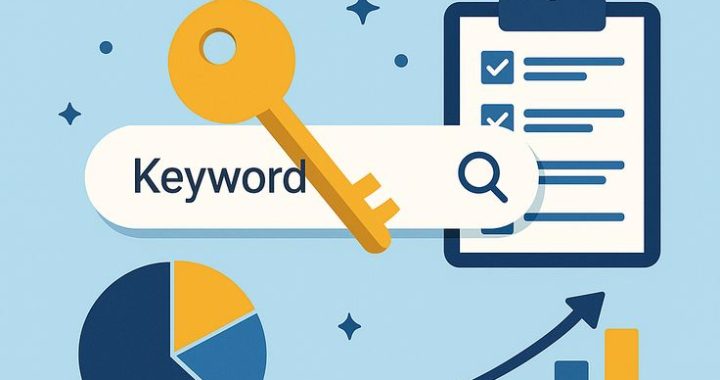
Keyword Research Mastery: The Complete Guide to Finding Words That Actually Rank

If you’ve ever published a piece of content and watched it sit on page ten of search results, gathering digital dust, the problem probably wasn’t your writing. It was your keyword research — or the lack of it. Keyword research is the foundation every successful SEO strategy is built on, yet it’s one of the most misunderstood parts of digital marketing. Many people treat it as a quick five-minute task: type a phrase into a tool, grab whatever has the highest search volume, and move on. That approach almost never works.

Real keyword research is closer to detective work. You’re trying to understand what your audience actually types into a search bar, why they’re typing it, and what they expect to find when they hit enter. Master that, and you’ll consistently outrank competitors who are still chasing vanity metrics like raw search volume.

Why Keyword Research Still Matters in 2026

Search engines have changed dramatically. AI-powered summaries, voice search, and conversational queries have reshaped how people look for information. Some marketers assume this makes traditional keyword research obsolete. It doesn’t — it makes it more important. When search intent becomes harder to guess, the marketers who deeply understand their audience’s language win. Keyword research isn’t just about ranking anymore; it’s about relevance. Google’s algorithms are increasingly good at matching content to intent, so guessing keywords without understanding the “why” behind them is a losing game.

Step 1: Start With Seed Keywords

Every keyword strategy begins with seed keywords — broad terms directly related to your business, product, or niche. If you run a home restaurant blog, your seed keywords might be “pizza,” “burger,” or “pizza at home.” These aren’t the keywords you’ll target directly; they’re starting points that help you branch into more specific, valuable phrases.

A useful exercise here is to think like your customer, not like your business. Instead of listing terms your company uses internally, list the questions and phrases a curious beginner or a frustrated user might type. This shift in perspective alone can reveal dozens of keyword opportunities competitors overlook.

Step 2: Understand Search Intent

Keyword research often fails because it prioritizes popularity over purpose. A keyword’s volume tells you how many people are searching, but not what they’re looking for—that’s where the four categories of search intent come in.

Informational – the searcher wants to learn something (“Best pizza restaurant”)
User or Searcher– the searcher wants a specific site or brand (“Pizza Hut”)
Commercial investigation – the searcher is comparing options (“best espresso machine under $300”)
Transactional – the searcher is ready to buy (“buy espresso machine online”)

Targeting the wrong intent is one of the fastest ways to waste content-creation effort. If someone searches “how to roast coffee beans,” they don’t want a product page — they want a tutorial. User intent matters more than keywords—make sure your content format reflects that.

Step 3: Expand Your List With the Right Tools

Once you have seed keywords and a grip on intent, it’s time to expand. Tools like Google Keyword Planner, Ahrefs, SEMrush, and Ubersuggest can surface related terms, search volumes, and competition levels. But don’t ignore free, often-overlooked sources:

Autocomplete suggestions when typing into the search bar
Reddit and niche forums, where real questions surface organically
Competitor content, which often reveals gaps you can fill better

The goal isn’t to collect the biggest possible list. It’s to build a focused set of keywords that map clearly to pieces of content you can realistically create and rank.

Step 4: Evaluate Keyword Difficulty and Opportunity

Search volume and difficulty scores are useful, but they shouldn’t be the only filters. A keyword with 10,000 monthly searches and intense competition from established domains may be far less valuable than a keyword with 500 searches that you can realistically rank for within a few months. This is especially true for newer sites without significant domain authority.

A smarter approach is to weigh three factors together: search volume, ranking difficulty, and business relevance. A keyword might be easy to rank for, but if it doesn’t attract people likely to become readers, subscribers, or customers, it’s not worth prioritizing.

Step 5: Prioritize Long-Tail Keywords

Long-tail keywords — longer, more specific phrases — tend to have lower search volume but significantly higher conversion potential. Someone searching “coffee” could want anything from history to recipes to gift ideas. Someone searching “how to roast light roast coffee beans at home without a roaster” has a very specific need, and content that answers it precisely tends to perform exceptionally well, even with modest traffic numbers.

Long-tail strategies are also less competitive, making them ideal for newer websites trying to build authority before competing for broader, high-volume terms.

Step 6: Organize Keywords Into Topic Clusters

Instead of treating each keyword as an isolated target, group related keywords into topic clusters built around a central “pillar” page. For example, a pillar page on “Home Coffee Roasting” could link out to cluster content covering roast levels, equipment guides, storage tips, and troubleshooting common roasting mistakes. This structure signals topical authority to search engines and creates a better, more navigable experience for readers.

Step 7: Revisit and Refine Regularly

Keyword research isn’t a one-time task. Search behavior shifts with trends, seasons, and even world events. Reviewing performance data every few months — which keywords are driving traffic, which have stalled, and which new terms are emerging — keeps your content strategy sharp. Tools that show ranking movement over time are invaluable here, but so is simply staying curious about how your audience’s language evolves.

Bringing It All Together

Mastering keyword research isn’t about finding a magic list of high-volume terms. It’s about understanding your audience so well that you can predict what they’ll search for before they even fully know how to phrase it. Combine that understanding with smart use of tools, a clear grasp of searchintent, and awillingness to revisit your strategy regularly, and you’ll build content that doesn’t just rank — it actually serves the people reading it.

Frequently Asked Questions

1. How many keywords should I target per blog post?
Generally, one primary keyword paired with three to five closely related secondary keywords works well. Overloading a single post with too many unrelated keywords dilutes focus and can hurt both readability and rankings.

2. Is high search volume always better?
No. High-volume keywords usually come with higher competition, which can make ranking nearly impossible for newer or smaller sites. Balancing volume with realistic ranking difficulty and audience relevance is a smarter strategy.

3. How often should I update my keyword research?
Reviewing your keyword strategy every three to six months is a reasonable cadence for most websites. Highly competitive or fast-moving industries may benefit from more frequent check-ins.

4. Do I need paid tools for effective keyword research?
Not necessarily. Free resources like Google’s autocomplete, “People also ask” boxes, and forum discussions can uncover valuable insights. Paid tools simply speed up the process and provide deeper competitive data.

5. What’s the difference between keyword research and SEO strategy?
Keyword research is one component of a broader SEO strategy. While keyword research identifies what your audience searches for, SEO strategy also includes technical optimization, content structure, backlink building, and user experience.

6. Can keyword research help with content that isn’t blog-based, like videos or podcasts?
Absolutely. Search intent and keyword patterns apply across formats. YouTube’s search bar, for instance, has its own autocomplete suggestions that function similarly to Google’s, making it a useful keyword discovery tool for video content.

SEO Content Cluster

What Is an SEO Content Cluster?

If you’ve been trying to rank on Google for more than a handful of keywords, you’ve probably run into a wall. You write blog after blog, each one targeting a different keyword, and yet your rankings barely budge. This is usually a sign that your content is scattered instead of structured — and that’s exactly the problem an SEO content cluster is built to solve.

A content cluster (also called a “topic cluster”) is a way of organizing your website’s content around core themes rather than isolated keywords. Instead of publishing random, disconnected articles, you build a hub-and-spoke system: one comprehensive “pillar page” covering a broad topic, surrounded by several smaller, more specific “cluster pages” that link back to it. Search engines reward this structure because it signals topical authority — you’re not just answering one question, you’re demonstrating deep expertise across an entire subject area.

Why Content Clusters Matter for SEO

Google’s algorithm has vast & significantly over the past decade. It no longer ranks pages purely on keyword matching; it evaluates context, relevance, and how well a website covers a subject as a whole. This is where content clusters shine.

When you build a cluster, you’re essentially telling Google: “I don’t just know a little about this topic — I’ve covered it from every angle.” That depth of coverage increases your chances of ranking for a wide range of related search queries, including long-tail keywords you may not have targeted directly.

Content clusters also improve the user experience. Content clusters act as a roadmap for your readers. When you organize subtopics around a core pillar, you make it effortless for users to find the depth of information they need. This improved user experience is a direct indicator of quality that search algorithms prioritize.

The Anatomy of a Content Cluster

Every content cluster has three core components.

**1. The Pillar Page**
This is your foundation. A pillar page covers a broad topic comprehensively, usually in 2,000–4,000 words, and touches on every major subtopic without going too deep into any single one. Think of it as a detailed table of contents that also happens to be a complete resource on its own.

**2. Cluster Content**
These are individual blog posts or pages that dive deep into specific subtopics mentioned in the pillar page. Each cluster piece targets a more specific keyword or question and links back to the pillar page, and often to other related cluster pages as well.

**3. Internal Linking Structure**
Internal link connect every page with pillar page. The pillar page links out to each cluster page, and every cluster page links back to the pillar page (and ideally to a few sibling cluster pages). This creates a tightly woven network of relevance that search engines can easily crawl and understand.

Building an SEO Content Cluster: A Practical Guide

**Step 1: Choose Your Core Topic**
Pick a broad theme that’s central to your business and has enough depth to support multiple subtopics. For example, a company selling project management software might choose “project management” as a pillar topic.

**Step 2: Conduct Keyword Research**
Identify the primary keyword for your pillar page, along with a list of related long-tail keywords that can each become their own cluster article. Tools like Ahrefs, SEMrush, or even Google’s “People Also Ask” section are useful here.

**Step 3: Map Out the Cluster**
Organize your keyword list into logical subtopics. If your pillar is “project management,” your clusters might include “agile project management,” “project management tools,” “project management for remote teams,” and “project management certifications.”

**Step 4: Write the Pillar Page First**
Your pillar content should be genuinely comprehensive — so build your pillar page as a thorough, fluff free resource Structure it with clear headers so it’s easy to skim, since most readers won’t read it top to bottom.

**Step 5: Create Cluster Content**
Write each subtopic as its own dedicated post. Keep it focused on a single question or keyword theme, and make sure it naturally links back to the pillar page and to other relevant cluster pages.

**Step 6: Build the Internal Linking Web**
Go back through your pillar page and manually insert links to every cluster piece. Then double-check that each cluster piece links back appropriately. Consistent anchor text (without over-optimizing) helps search engines understand the relationship between pages.

**Step 7: Monitor and Update**
Content clusters aren’t a “set it and forget it” strategy. Revisit your pillar and cluster pages every few months to update statistics, add new subtopics, and refresh content that may have gone stale.

Common Mistakes to Avoid

Many businesses attempt content clusters but see limited results because of a few recurring mistakes. One is choosing a pillar topic that’s too narrow, leaving no room for meaningful subtopics. Another is neglecting the internal linking step entirely — without those links, you just have a pile of unrelated articles, not a cluster. A third mistake is publishing shallow cluster content that doesn’t actually answer the reader’s question, which undermines the authority the cluster is meant to build.

Real-World Example

Imagine a company in the fitness space. Their pillar page might be “The Complete Guide to Strength Training.” Cluster articles could include “Strength Training for Beginners,” “Best Strength Training Equipment for Home Gyms,” “Strength Training vs. Cardio: Which Is Better for Fat Loss,” and “How Often Should You Strength Train Per Week.” Each of these targets a specific search intent, while the pillar page ties them all together and captures broader searches.

Final Thoughts

Building an SEO content cluster takes more upfront planning than dashing off individual blog posts, but the payoff is significant: stronger topical authority, better internal linking, improved user experience, and — ultimately — higher and more sustainable rankings. If you’re serious about long-term organic growth, shifting from isolated content to a clustered strategy is one of the most effective changes you can make.

Frequently Asked Questions

**Q1: How long should a pillar page be?**
Most effective pillar pages fall between 2,000 and 4,000 words, though the right length depends on how broad the topic is and how many subtopics it needs to introduce.

**Q2: How many cluster articles do I need per pillar page?**
There’s no fixed number, but most successful clusters include anywhere from 5 to 15 cluster articles, depending on the size of the topic and how many meaningful subtopics exist.

**Q3: Can I turn my existing blog posts into a content cluster?**
Yes. Many businesses audit their existing content, group related posts under a new or existing pillar page, and then add internal links to connect them — no need to start from scratch.

**Q4: How long does it take to see SEO results from a content cluster?**
Typically 3 to 6 months, though this varies based on domain authority, competition, and how consistently you publish and update the cluster.

**Q5: Do content clusters work for small or new websites?**
Yes, though results may take longer. Content clusters are especially valuable for newer sites because they help establish topical authority faster than scattered, unrelated content would.

**Q6: What’s the difference between a content cluster and a content silo?**
They’re closely related concepts. A silo is a broader organizational structure (often reflected in site architecture and URL structure), while a cluster specifically refers to the pillar-and-spoke linking model. Many sites use both together.

SEO (Search Engine Optimization)- Zero to
Hero Guide

What Is SEO? A Complete Beginner’s Guide 

If you’ve ever wondered why some websites always seem to pop up on the first page of Google while others get buried on page 10, the answer almost always comes down to one thing: SEO. It’s a term thrown around constantly in digital marketing circles, but for many bloggers, business owners, and content creators just starting out, it can feel like a mysterious black box. This guide breaks down what SEO actually is, why it matters, and how you can start using it to grow your own website or blog.

What Does SEO Stand For?

SEO stands for Search Engine Optimization. In simple terms, it’s the practice of improving a website so that search engines like Google, Bing, or Yahoo can understand it, trust it, and rank it higher in search results for relevant queries. When someone types a question or keyword into a search bar, the search engine scans through billions of web pages and tries to serve up the most useful, relevant, and trustworthy results. SEO is the set of strategies you use to make sure your content is one of those results.

Think of SEO as the bridge between what people are searching for and the content you’ve created to answer that search. The better that bridge is built, the more organic (unpaid) traffic your website receives.

Why Does SEO Matter?

Here’s the reality: most people never scroll past the first page of search results, and a huge percentage don’t even go past the first three listings. If your blog or website isn’t showing up there, you’re essentially invisible to a massive pool of potential readers or customers.

SEO matters because it:

Drives free, consistent traffic — unlike paid ads, organic traffic doesn’t disappear the moment you stop spending money.
Builds credibility and trust — users tend to trust websites that rank higher, assuming search engines have already vetted them as reliable.
Improves user experience — many SEO best practices, like fast loading speeds and mobile-friendly design, also make your site better for visitors.
Offers long-term value — a well-optimized blog post can keep bringing in traffic for years, unlike a social media post that disappears from feeds within hours.

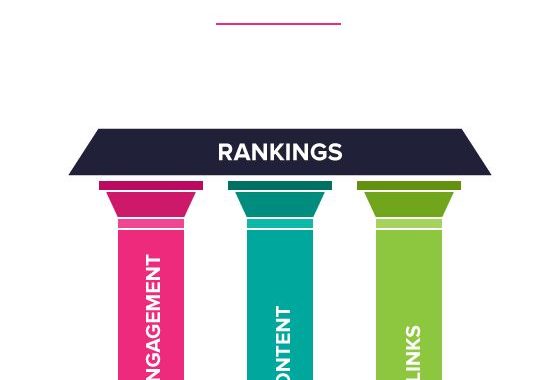
The Three Pillars of SEO

SEO isn’t a single tactic — it’s a combination of strategies that work together. These generally fall into three categories.

1. On-Page SEO

This refers to everything you control directly on your website or blog post. It includes:

Keyword research and usage — identifying the words and phrases your audience is actually searching for and naturally weaving them into your titles, headers, and body text.
Quality content — writing genuinely useful, well-researched, and original content that answers a reader’s question better than competing pages.
Header structure — using H1, H2, and H3 tags to organize content logically, which helps both readers and search engines understand your page.
Internal linking — connecting related posts on your own site to help visitors (and search engines) navigate your content.
Image optimization — using descriptive file names and alt text so search engines understand what your images show.

2. Off-Page SEO

Search engines view backlinks as a vote of confidence: if reputable sites link to your content, it signals that your content is valuable and trustworthy. Other off-page factors include social media engagement, brand mentions, and guest posting on other blogs.

3. Technical SEO

This is the behind-the-scenes work that ensures search engines can properly crawl, index, and understand your site. It includes:

Site speed — slow-loading pages frustrate users and get penalized in rankings.
Mobile-friendliness — since most searches now happen on phones, your site needs to work well on smaller screens.
Secure connections (HTTPS) — search engines favor secure websites over unsecured ones.
XML sitemaps — a roadmap that helps search engines find and index all your pages.
Clean URL structures — simple, descriptive URLs are easier for both users and search engines to understand.

How Search Engines Actually Rank Content

Search engines use complex algorithms — Google’s involves hundreds of ranking factors — but at a high level, the process works in three steps:

Crawling — search engines send out bots (often called “spiders”) that scan the web, following links from page to page.
Indexing — once a page is crawled, it gets stored in a massive database called an index.
Ranking — when someone performs a search, the engine sifts through its index and ranks the most relevant, high-quality pages at the top.

Relevance, content quality, site authority, user experience, and freshness all play a role in determining where a page lands.

Common SEO Mistakes Beginners Make

Keyword stuffing — cramming keywords unnaturally into text, which now actually hurts rankings rather than helping.
Ignoring mobile users — a non-responsive site design can tank your rankings.
Ducking the “search intent” — writing content that doesn’t actually match what the searcher wants to find.
Neglecting page speed — a beautiful blog that takes 8 seconds to load will lose both readers and rankings.
Skipping meta descriptions — leaving these blank means missing a chance to convince searchers to click.

Getting Started With SEO on Your Blog

If you’re just beginning, don’t try to master everything at once. Start with these steps:

Pick a few keywords relevant to your niche using free tools like Google Keyword Planner or Ubersuggest.
Write helpful, in-depth content that genuinely solves a problem or answers a question.
Structure your post with clear headers and short paragraphs.
Optimize your title and meta description to be compelling and keyword-relevant.
Make sure your site loads quickly and works on mobile.
Be patient — SEO is a long game, and results typically buildover months, not days.


Frequently Asked Questions (FAQ)

Q1: How long does it take for SEO to show results?
SEO is a gradual process. Most websites start seeing meaningful movement in rankings within 3 to 6 months, though highly competitive keywords can take longer. Consistency and patience are key.

Q2: Do I needto pay for SEO tools to get started?
No. Many free tools, like Google Search Console, Google Analytics, and Ubersuggest, offer enough functionality for beginners. Paid tools like Ahrefs or SEMrush become more useful as your site grows and your strategy gets more advanced.

Q3: Is SEO a one-time task or ongoing work?
It’s ongoing. Search engine algorithms change frequently, competitors publish new content, and user behavior shifts over time. Successful blogs treat SEO as a continuous process, not a box to check once.

Q4: What’s the difference between SEO and SEM?
SEO focuses on earning organic (unpaid) traffic through optimization. SEM, or Search Engine Marketing, typically refers to paid advertising, like Google Ads, that appears alongside organic results.

Q5: How important are keywords compared to content quality?
Keywords help search engines understand what your content is about, but content quality is what keeps readers engaged and encourages other sites to link to you. Modern SEO prioritizes genuinely useful content over keyword density.

Q6: Can I do SEO myself, or do I need an expert?
Beginners can absolutely learn and apply basic SEO principles themselves, especially for a personal blog. As competition increases or your site scales, bringing in an experienced SEO consultant can help fine-tune more technical or competitive strategies.

Q7: Does blog length affect SEO rankings?
There’s no magic word count, but longer, well-researched content (typically 1,000+ words) tends to perform better because it can cover a topic more thoroughly and naturally include related keywords and subtopics.

SEO might seem overwhelming at first, but at its core, it’s simply about creating genuinely useful content and making it easy for both readers and search engines to find, understand, and trust. Start small, stay consistent, and over time your blog’s visibility — and traffic — will grow.